FlickReels is usually safer to use when you download the official app from the Apple App Store or Google Play, but "safe" does not only mean virus-free. The bigger things to watch are app permissions, privacy tracking, locked episodes, subscriptions, and whether the content is suitable for your household. If you only want to try a few short dramas, the risk is manageable; if you plan to pay or let kids use it, slow down and check the details first.
Is FlickReels Safe to Download?
FlickReels is generally safest to download from official app stores because Apple and Google provide basic screening, verified updates, and built-in payment controls. That does not mean every policy, price, or privacy choice will suit you, but it does reduce the chance of installing a fake or modified app.
Before installing, check the developer name, recent reviews, listed in-app purchases, privacy details, and age rating. If any of those look unclear or unusually negative, treat that as a reason to pause rather than install first and investigate later.
Apple App Store downloads
For iPhone and iPad users, the App Store is the safest place to get FlickReels. Apple's review process and subscription controls lower the risk of obvious malware and make it easier to manage billing if you subscribe.
Still, read the App Store page instead of relying on the install button. The important clues are the privacy labels, age rating, subscription terms, and the "In-App Purchases" section, because those tell you more about day-to-day use than the app description does.
Google Play downloads
Google Play is the safer Android option because Play Protect and store-level checks add a layer of protection against known threats. It also gives you a central place to review subscriptions and purchases.
Android users need to be more careful with lookalike apps and sideloaded files. If you see FlickReels promoted through a pop-up, file-sharing page, or "free coins" link, compare it with the official Play Store listing before touching anything.
Risks of unofficial APKs
Unofficial APKs are the point where the safety answer can change quickly. A "premium unlocked" or "unlimited coins" APK may contain adware, spyware, fake login screens, or code that has nothing to do with the real app.
- Avoid modified versions: free premium access is a common bait.
- Do not install from random file hosts: you lose official store protections.
- Be wary of shared links: comments, forums, and messaging apps are common places for fake installers.
App permissions and security
A short-drama app normally needs internet access and may ask for notifications, but it should not get more access than you are comfortable giving. Deny optional permissions first, then turn them on later only if they clearly improve how you use the app.
A privacy-conscious user may want to disable tracking prompts and promotional notifications. A casual viewer who only watches free episodes may not need an account sign-in or extra permissions at all.
What Are the Main FlickReels Safety Concerns?
The main concerns with FlickReels are usually privacy, tracking, recurring charges, in-app purchases, and mature content. Malware is more of a concern with unofficial downloads; payment and content issues are more likely to affect people using the official app.
Personal data collection
FlickReels may collect data such as account details, device information, app activity, purchase history, and advertising identifiers, depending on the version and platform. That is common for entertainment apps, but it is still worth checking whether the scope feels reasonable for a video app.
Tracking and privacy
Tracking can be used to measure what you watch, how long you stay, which ads you interact with, and what content keeps you coming back. That does not automatically make the app unsafe, but it does mean the app may be designed around engagement and monetization, not just viewing.
On iPhone, review app tracking choices in privacy settings. On Android, check app permissions and ad personalization settings. These controls may not stop all data collection, but they can reduce exposure you do not need.
Automatic subscription renewals
Automatic renewals are one of the easiest ways to get charged after you have stopped actively using an app. A free trial or low entry price can turn into a weekly or monthly payment unless you cancel before the renewal date.
The common mistake is deleting the app and assuming the subscription ends. It usually does not. Subscription cancellation needs to happen through Apple subscriptions or Google Play subscriptions, depending on where you signed up.
In-app purchases
Coins, paid episode unlocks, and small bundles can make spending feel less obvious than a normal streaming bill. One purchase may seem harmless, but binge-watching several locked episodes can become expensive quickly.
- Casual viewer: ads and free unlocks may be enough.
- Binge viewer: calculate the real cost before buying coins repeatedly.
- Shared device: turn on purchase approval before anyone else uses the app.
Age and content restrictions
FlickReels is not automatically suitable for kids just because it is available in an app store. Short-drama apps often feature romance, jealousy, revenge, crime, power struggles, or suggestive storylines.
For a parent, the safer move is to check the age rating, preview clips, screenshots, and purchase controls before allowing regular use. On a shared tablet, content suitability and accidental purchases matter as much as download security.
Is FlickReels Free or Paid?
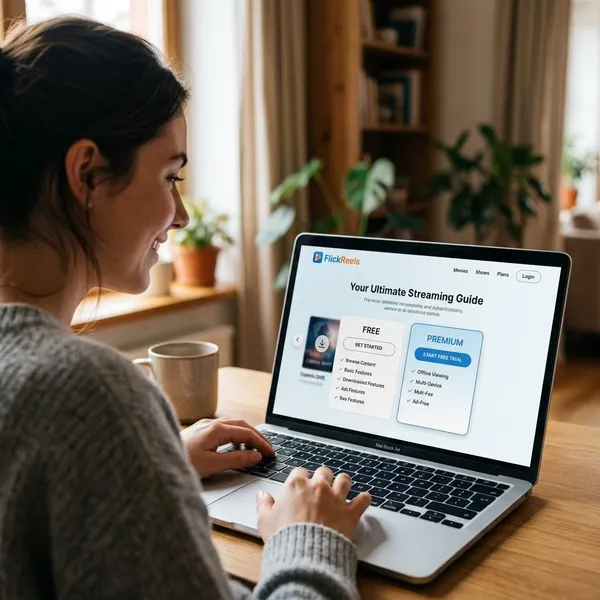
FlickReels is usually free to download, but that does not mean it is free to watch without limits. The app may use ads, locked episodes, coins, bundles, or recurring subscriptions to make money.
| How you use FlickReels | What to check before spending |
|---|---|
| Watching a few episodes now and then | Daily free unlock limits and ad requirements |
| Binge-watching one full drama | Total coin cost versus subscription price |
| Trying a free trial | Renewal date and cancellation steps |
| Letting family members use it | Purchase controls and age-appropriate content |
Free downloads
The app can be free to install, which makes it easy to try without paying upfront. The real question is how far you can watch before ads, waiting periods, locked episodes, or purchase prompts appear.
Ads and locked episodes
Ads may unlock some episodes or rewards, but free access is often paced. That can work fine if you watch during short breaks, but it is frustrating if you want to finish a full drama in one sitting.
Coins and in-app purchases
Coins can be convenient, but they make real prices harder to feel. Before buying a bundle, check how many episodes it actually unlocks and convert that into a rough cash-per-episode cost.
If that quick math feels unclear, do not buy immediately. Confusing pricing is a good reason to wait, especially if you are already watching late at night or clicking through prompts quickly.
Paid subscriptions
A subscription may be better value than repeated coin purchases for frequent viewers, but only if it includes the content you want and renews at a price you accept. Weekly plans deserve extra attention because the monthly total can be higher than it first appears.
- Check the billing interval: weekly, monthly, or trial-based.
- Confirm what is included: not every paid plan always means unlimited access.
- Set a cancellation reminder: especially before a trial converts.
How to Use FlickReels Safely
The safest way to use FlickReels is to treat it like a monetized entertainment app, not just a harmless video player. Your priority should be official downloads first, billing control second, and privacy/content settings third.
Download from official stores
Use only the Apple App Store or Google Play. This single habit removes most of the realistic malware risk connected with fake installers, modified APKs, and copied app pages.
Review app permissions
After installing, open your phone settings and check what FlickReels can access. Keep only what you need for basic use, such as internet access and any notifications you actually want.
Recheck permissions after major updates. Apps can change features over time, and a quick review helps you catch new access requests before they become the default.
Check subscription prices
Read the payment screen slowly before confirming a trial, subscription, or coin bundle. Look for the exact price, currency, renewal interval, and whether the plan renews automatically.
If the offer uses countdowns, pop-ups, or "limited time" pressure, take that as a sign to slow down. A legitimate purchase should still make sense after you leave the screen and come back later.
Disable unwanted renewals
If you subscribe only to test the app, turn off auto-renew right away through Apple subscriptions or Google Play subscriptions. You may still keep access until the current period ends, but you remove the risk of forgetting later.
Monitor payment charges
Check your Apple or Google purchase history during the first week of use, especially if you bought coins or started a trial. Small entertainment charges are easy to miss when they appear separately.
On shared devices, this check is even more important. If a child or another family member taps through an in-app purchase, catching it early makes it easier to understand what happened and adjust purchase controls.
Conclusion
FlickReels is usually safe enough for adult users who download it from official stores and keep control of permissions, payments, and renewals. I would be much more cautious with unofficial APKs, unclear weekly pricing, heavy coin spending, or use by children on a shared device. If those parts feel manageable, trying the app is reasonable; if they feel annoying before you even start watching, that is probably a sign to skip it or choose a simpler streaming option.