ShortMax looks safer to install from the Apple App Store or Google Play than from random APK sites, but the bigger risk is usually money rather than malware. If you only watch free episodes and avoid adding a payment method, the risk is fairly limited; if you subscribe, buy coins, or let a child use the app, you should be much more careful.
Is ShortMax App Safe?
ShortMax appears to be a real short-drama app, not an obvious fake app, but "safe" depends on what you mean. For your phone, the main safety rule is simple: use the official app stores and avoid unofficial downloads. For your wallet, the answer is more cautious because many complaints focus on subscriptions, coins, renewals, and cancellation confusion.
Official app store availability
ShortMax being available through major app stores is a positive sign, because official stores provide basic screening, verified app listings, and easier access to purchase records. That does not mean every price or renewal experience will feel fair, but it lowers the risk of downloading a fake copy.
Device and download security
The safest download route is the Apple App Store or Google Play. Installing ShortMax from a third-party APK site, a social media link, or an unfamiliar download page adds a different risk: the file may not be the genuine app.
- Lowest risk: official store download, no payment method added, limited permissions.
- Higher risk: unofficial APK, unknown developer source, or a link pushed through ads or messages.
- Red flag: a download page asking you to disable phone security settings.
Privacy and data collection
ShortMax may collect the kind of data many entertainment apps use, such as device details, viewing activity, account information, and purchase history. That is not unusual, but it is still worth checking the privacy label or policy before signing in or paying.
Subscription and payment risks
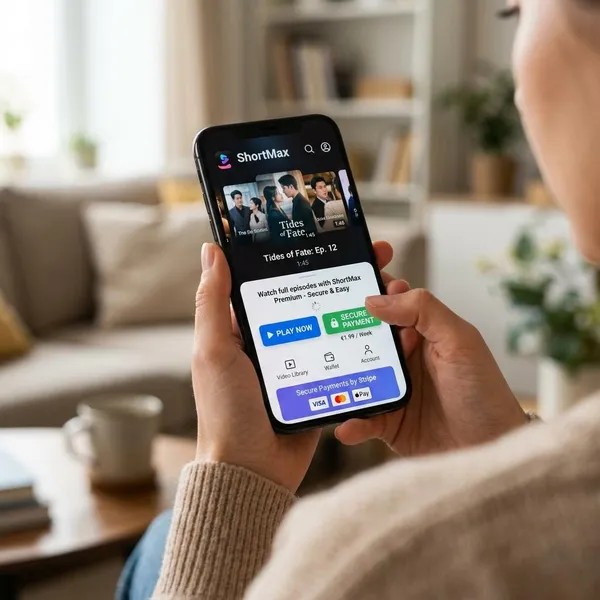
This is the part that deserves the most attention. User complaints commonly mention recurring charges, coin purchases, locked episodes, and uncertainty about whether cancellation actually worked. Even if some complaints come from misunderstanding app-store billing, the pattern is strong enough to justify caution.
User reviews and complaints
Reviews tend to be mixed: some users enjoy the short-drama format, while unhappy users often focus on cost and support. Look for repeated complaints rather than one angry review. If many recent users mention the same billing issue, treat that as a practical warning.
Why Do Users Complain About ShortMax?
Most complaints are not about whether the videos play. They are about the gap between what users expect to pay and what they later see in subscriptions, coin purchases, or card statements. That gap is what makes the app feel unsafe to some people even when it works normally.
Unexpected recurring charges
Recurring charges are one of the biggest complaint patterns. A user may start a trial, buy access, or subscribe for a short period, then later notice another charge and feel they never clearly agreed to ongoing billing.
The first thing to check is the billing source. If the charge came through Apple or Google, cancellation usually has to happen in your app-store subscription settings, not just inside the app.
Difficult subscription cancellation
Deleting the ShortMax app is a common mistake because it usually does not cancel an active subscription. The subscription can continue through your Apple ID, Google account, PayPal account, or another payment channel.
- Cancel in the billing account: Apple, Google, PayPal, or the card processor listed on the receipt.
- Save proof: keep a screenshot showing canceled status and the end date.
- Check again: review the account before the next renewal date.
Expensive episode unlocks
Short-form drama apps often make the first few episodes easy to watch, then lock later episodes behind coins or paid access. The problem is not simply that content costs money; it is that the full cost of finishing one story may not be obvious when you start.
Unclear pricing and renewals
Pricing can feel confusing when subscriptions, coin bundles, free episodes, trial offers, and renewals all appear in the same app. Before tapping a paid option, look for three details: the amount, the billing frequency, and whether it renews automatically.
Customer support issues
Support complaints matter because billing problems need quick, specific answers. If support is slow or generic, users may need to rely on Apple, Google, PayPal, or their bank instead of waiting for the app developer.
Keep receipts, screenshots, cancellation confirmations, and support messages in one place. A clear timeline is much more useful than a general complaint if you ask for a refund or dispute a charge.
Is ShortMax Safe for Payments and Subscriptions?
ShortMax can be used more safely if you treat every payment step as something you may need to prove later. The risky part is not one single button; it is losing track of renewals, small coin purchases, or which account is doing the billing.
In-app purchase costs
Coins and episode unlocks can make spending feel smaller than it really is. Before buying, try to estimate what it would cost to finish the whole series you are watching. If that total is hard to find, pause before paying.
| How you use ShortMax | Payment risk | Practical choice |
|---|---|---|
| Free previews only | Low, if no payment method is used | Keep purchases disabled |
| One short series | Medium, because coin costs can add up | Set a fixed limit before unlocking episodes |
| Daily binge-watching | High, especially with auto-renewal or repeated coins | Use a low-limit card or avoid paid access |
| Child or shared phone | High if purchases are not restricted | Turn on purchase approval and parental controls |
Automatic subscription renewals
Auto-renewal is normal for mobile subscriptions, but it becomes a problem when the renewal date or price is easy to miss. After subscribing, immediately open your app-store subscription page and check the next billing date.
Payment and billing records
Your receipt tells you who can actually help. Apple and Google purchases usually need to be handled through their systems, while direct card or PayPal charges may require contacting ShortMax support or the payment provider.
If you see "ShortMax still charging me" in your own bank activity, compare the amount and date with your app-store purchase history. Matching the charge to the correct platform is the fastest way to stop chasing the wrong support channel.
Refund and cancellation policies
Refund rules depend on the payment route and local consumer rules, so do not assume the app itself can reverse every charge. Start with the platform that processed the payment, then escalate only if the response does not match your records.
- Find the receipt: check email, Apple purchase history, Google Play orders, PayPal, or your card statement.
- Cancel active billing: use the subscription page tied to that receipt.
- Save confirmation: keep the canceled status, date, and any support ticket number.
- Request a refund quickly: delays can make disputes harder, depending on the platform.
How to Use ShortMax Safely
If you still want to try ShortMax, use it like an app with payment friction rather than a simple streaming service. The safest setup is official download, limited permissions, no unnecessary stored payment method, and a clear spending cap before you start watching.
Download from official stores
Use only the Apple App Store or Google Play. If you already installed a version from outside those stores, remove it, run a device security scan if available, and change passwords connected to accounts you used inside the app.
Review app permissions
Start with the smallest set of permissions possible. Notifications may be convenient but are not essential for watching; broad access to contacts or unrelated files should make you pause. You can always allow a permission later if a feature genuinely needs it.
Check subscription terms
Before paying, confirm the price, renewal period, cancellation path, and what the purchase actually unlocks. Do not assume a subscription unlocks every episode forever, and do not assume a coin pack will be enough to finish a full story.
Set spending limits
Pick a maximum amount before you start a series, not after you are already invested in the ending. For a one-evening test, that might mean watching free episodes only. For regular use, a prepaid or low-limit payment method is safer than your main household card.
This matters even more on a shared phone or a child's device. Turn on purchase approval, require a password or biometric check for payments, and avoid leaving one-tap purchases enabled.
Monitor payment charges
Check your subscription page and payment statement within a few days of any purchase, then again before the next renewal. If a charge looks wrong, act while the transaction is recent and your receipts are easy to find.
Conclusion
ShortMax is not automatically unsafe just because it has complaints, but it is not an app I would use casually with an open-ended payment setup. Download it only from official stores, avoid unofficial APKs, and be especially strict about subscriptions, coins, and child access. If you cannot clearly see what you will pay and how to cancel, skip the purchase until that is clear.