If a short vertical drama clip caught your attention but the title or app is unclear, a vertical drama hub can help you connect the scene to the real series page. Use it as a discovery and verification tool, not as proof that the full show is hosted there.

What is a vertical drama hub?
A vertical drama hub is a place that helps viewers discover, identify, and compare short dramas made for phone screens. It may be a blog, fan directory, recommendation page, or social channel, but it is usually not the original streaming platform.
A place to discover vertical series
Most hubs collect short mobile dramas by title, genre, platform, or story theme. That is helpful when you know the type of drama you want—billionaire romance, revenge marriage, hidden identity, second-chance love—but not the exact series name.
For a casual viewer, this saves time. Instead of downloading three apps just to find one viral scene, you can first compare summaries, screenshots, cast clues, and viewing links.
A name used by different sites and channels
"Vertical drama hub" is a broad label, not always a single official brand. One result may be a review site, another may be a fan page, and another may mainly repost clips.
- Discovery hubs are best for finding similar shows.
- Identification hubs are useful when you only remember a scene or character.
- Viewing-link hubs help you locate the original app or series page.
Treat each hub as a source to check, not as the final authority. If it does not show a clear title, platform, or episode path, keep verifying before you spend money inside an app.
What can you find on a vertical drama hub?
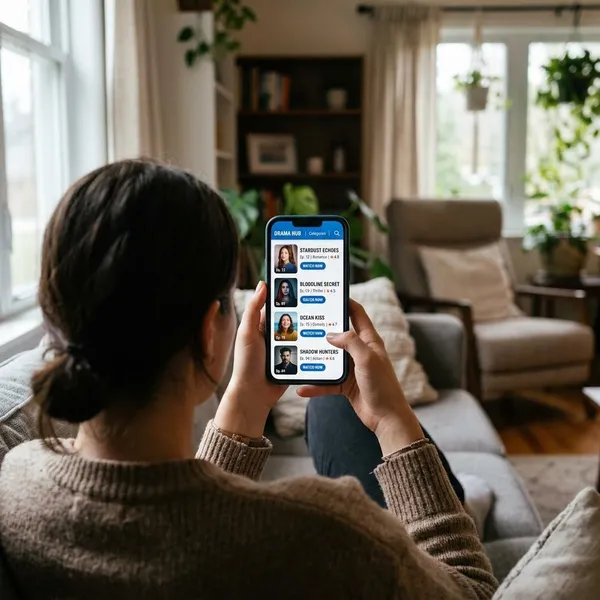
A hub can be useful because vertical dramas are often promoted with edited clips, translated titles, or marketing names that do not exactly match the official listing. The best hubs reduce that confusion by putting the clues in one place.
Drama clips and plot summaries
Clips help you recognize the moment you saw, but summaries are what separate one lookalike drama from another. A slap scene, secret baby reveal, wedding confrontation, or revenge speech can appear in many series.
Reviews and watchlists
Reviews and watchlists are most useful when they answer practical questions: does the story move quickly, does it drag after the first few episodes, and is the ending worth unlocking?
If you only watch occasionally, a short "best completed dramas" list is more helpful than a huge trending page. If you plan to follow vertical dramas regularly, watchlists by platform can help you decide which app fits your taste before committing to coins, ads, or subscriptions.
Cast details and viewing links
Cast details are often the strongest confirmation when titles are messy. A matching actor, character name, or role description can prove that a hub page is pointing to the same show you found in a clip.
Viewing links should lead to the original platform, app store page, or dedicated series listing. Be cautious with pages that only show scattered clips, because those may be reposts rather than the full drama in order.
How to find a full drama from a hub
The best approach is to check clues in order: title first, then cast and story, then the original platform, then the episode list. One matching clue is not enough, especially in genres where many shows use similar plots and titles.
Look for the series title
Start with the title shown in the ad, caption, or comment, even if it looks promotional. Search the exact phrase first, then try shorter versions with words such as "cast," "full episodes," "vertical drama," or the app name if one is mentioned.
If several results appear, open the ones that include a plot summary or platform link. A title match without story details is weak evidence.
Match the cast and story
Use the cast and core premise as your reality check. The most reliable match is when the lead actors, character names, and main conflict all point to the same drama.
- Good sign: the hub summary describes the same relationship, twist, and lead characters.
- Weak sign: only the genre matches, such as "CEO romance" or "revenge wife."
- Red flag: the clip scene matches, but the platform page shows different characters or a different setup.
Identify the original streaming platform
Before watching, confirm which app actually hosts the series. Social clips on TikTok, YouTube, Instagram, or Facebook can be incomplete, renamed, or uploaded out of order.
This step matters most if you are about to pay. A casual viewer sampling free episodes may only lose a few minutes, but someone buying coins or unlocking chapters should make sure the listing is official and complete first.
Check the full episode list
A proper full-drama page should show a structured episode list, platform branding, and some sign of release status. If you only see highlight reels, random scene compilations, or a few unnumbered clips, you probably have not found the full release yet.
- Open the hub page with the closest title match.
- Compare the summary with the clip you remember.
- Follow the link to the named platform.
- Check episode order, subtitles, and payment model before unlocking more.
Where to watch vertical dramas
Full vertical dramas are usually watched inside mobile-first drama apps, not on hub pages themselves. A hub helps you find the path; the original app is where you confirm the complete episode list, subtitles, and access rules.
Use this section as a starting point, not a guarantee that every title is available in every region.

ReelShort
ReelShort is one of the most recognizable vertical drama platforms, especially for fast romance, revenge, family conflict, and identity-reveal stories. Many viewers first notice its shows through dramatic social ads.
If a hub says a title is on ReelShort, check whether the app listing uses the same title as the ad. Promotional names and official names may not always match perfectly.
DramaBox
DramaBox is often associated with intense short-form romance, quick twists, and emotional cliffhangers. It can be a good fit if you like stories that start with conflict almost immediately.
A hub is useful here when a show has different marketing titles across regions or social platforms. Match the story and cast before assuming you have found the exact DramaBox title.
GoodShort
GoodShort focuses on compact mobile dramas with clear emotional stakes. It suits viewers who want quick episodes rather than slower traditional TV pacing.
For someone watching during breaks or commutes, that short-session format can work well. Just check the access model early so you know whether you are watching free starter episodes, ad-supported episodes, or paid unlocks.
ShortMax
ShortMax is another platform commonly mentioned in vertical drama recommendations. Its titles may include romance, betrayal, class reversal, fantasy elements, and other high-impact setups.
When a hub points to ShortMax, verify the episode count and platform page before settling in. If the hub only has a clip with no direct listing, use it as a clue rather than a viewing source.
Conclusion
A vertical drama hub is most useful when you treat it as a shortcut for discovery and verification: find the likely title, confirm the cast and story, then watch through the original platform if the episode list looks complete. That small checking process is worth it, especially when a viral clip has been renamed, reposted, or edited out of order.
FAQS
Is Vertical Drama Hub a single app or website?
Can I watch a complete vertical drama for free?
Why do drama hubs use different titles for the same show?
Are vertical dramas and micro-dramas the same?